









Routes
Stops are driven in the order that cuts kilometres and driving time across the whole fleet, not just one van.
AI optimization for field work and mobile fleets
Allocator plans a day for every worker and vehicle where the jobs run in a sensible order, time windows hold and the right skills reach the right site. When the day changes, the plan updates with it.
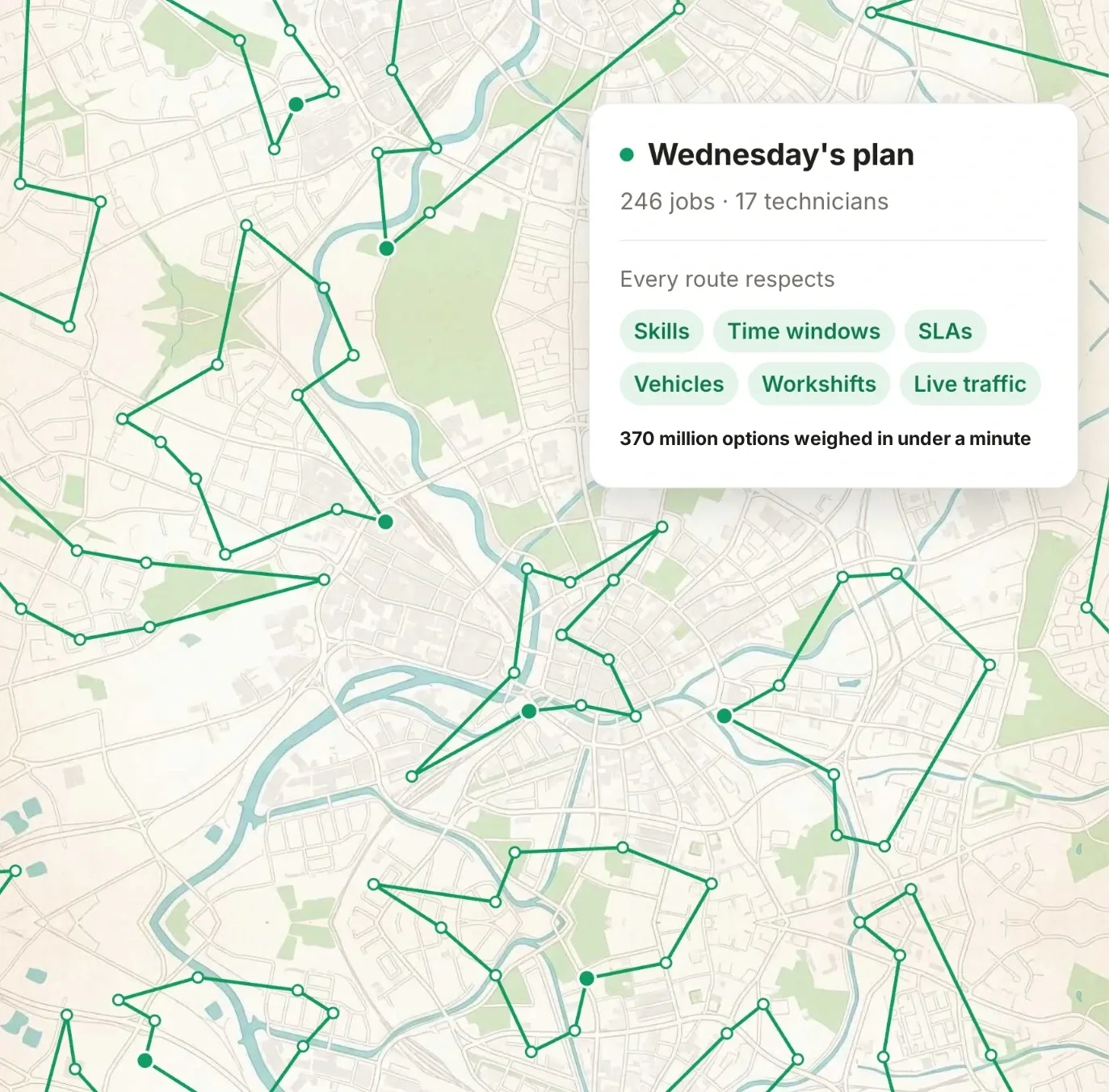
Wednesday’s plan
Every route respects
370 million options weighed in under a minute
Average results across customers
Trusted by field operations of every size
Ametro, EcoUp, Forenom, Harriniva, Huoltolux, Kaski, Loihde, Provina, Selecta, Tulka, Tuomi Logistiikka
The short answer
Mobile workforce optimization means the plan for field work and deliveries is calculated rather than pieced together by hand. Software decides in one pass who does which job, in what order and at what time, so that driving is kept to a minimum and every constraint holds.
Route optimization is one part of it. The shortest route is no use if the technician lacks the skill the job needs or the customer's time window is missed. That is why Allocator solves routes, schedules and job assignment as one problem and returns a finished plan for every team in seconds.
Read more
Stops are driven in the order that cuts kilometres and driving time across the whole fleet, not just one van.
The time windows and SLAs promised to customers hold, and every day fits inside working hours.
Each job goes to someone with the right skills, a suitable vehicle and the time to do it.
Every plan respects
One optimization engine
Planning by hand, there is time to try a handful of options. Allocator weighs every constraint together and explores far more combinations than a planner ever could.
The result is a balanced day for everyone. Nobody ends up overloaded, and nobody drives across town for nothing.
How it works
Jobs come from your ERP, a CSV file, or are created directly in Allocator. A spreadsheet of this week's work is enough to start.
Allocator calculates routes, schedules and assignments in seconds. You review the proposal and can move any job yourself.
Every worker sees their own day on their phone. With an ERP integration, completions and hours flow back to your systems automatically.
When the day changes
A new job, a cancellation or a sick call does not bring the whole day down. Allocator recalculates the part that changed in seconds and shows exactly what moved. Once you approve it, the people in the field see it on their phones straight away.
In the field
Technicians and drivers see the day's stops in driving order, with addresses and times, and navigation starts with one tap. The list updates itself when the plan changes, and there is nothing to file in the evening.
Results
−31% driving
When routes are calculated for the whole fleet at once, the wasted kilometres and hours behind the wheel drop out.
Average across customers
+18% billable hours
The time saved on the road turns into customer visits within the same working day.
Average across customers
−50% time spent planning
Supervisors check and approve a finished proposal instead of building the day by hand.
Average across customers
Customers
AI frees up time for our supervisors. That time goes into improving the customer experience, which makes the whole installation operation more efficient. Our installers save time too, in the kilometres they no longer drive.
Questions
Route optimization finds the shortest driving order for a given set of stops. Mobile workforce optimization also decides who does each job and when, taking skills, time windows, shifts and vehicle capacity into account. Allocator solves both in one calculation, so a short route never breaks a promise made to a customer.
An ERP system stores jobs, customers and hours, but assigning the work to people is usually done by hand there, on a calendar or a dispatch board. Allocator calculates the assignment and the driving order for you, weighing skills, time windows, shifts and travel all at once. It does not replace your ERP but works alongside it. A two-way integration brings jobs in from the ERP and sends plans, completions and hours back, so nothing is entered twice.
Google Maps guides one driver through the stops you give it, in the order you give them. It does not decide who does each job, and it knows nothing about skills, time windows, shifts or vehicle capacity. Allocator plans the whole fleet's day at once, assigns the jobs to people and works out a sensible driving order for each of them. When the day changes, it replans in seconds, and everyone sees their updated stops on their phone.
Any company whose people or vehicles move from site to site — for example maintenance and installation firms, delivery and transport, cleaning and facility services, and home care. Allocator plans five vans as well as it plans five thousand technicians.
In seconds, whether the fleet is small or large. When the day changes because of an urgent job or a sick call, Allocator recalculates the affected part straight away, and the planner approves the result before it goes out to the field.
No. Jobs can be imported as a CSV file or created directly in Allocator, and the standard package is up and running in 1–2 days. If you do have an ERP, a two-way integration moves jobs, customers and hours between the systems automatically.
Across our customers, driving drops by 31% and billable hours rise by 18% on average, while time spent planning falls by 50%. The figures come from optimization tests on customers' own data and from customer interviews. The savings calculator gives an estimate for your own operation.
Every worker gets a mobile view of their own day, with stops in order, times, addresses and job details, and navigation opens with one tap. The list updates itself as the plan changes, and crews usually need only a short introduction.
Let's walk through how Allocator would plan your routes, schedules and job assignments.
30 minutes No commitment
